
Private group support
Save media from private Telegram groups and channels when the content is visible in your own logged-in Telegram Web session.
Free online tool for public posts
Paste a public t.me post link to find and download its video, photo, audio, document, or file in the original quality Telegram provides. No account, bot, or software is required. For private groups, restricted channels, and batch media, use the companion Chrome extension.
Download public Telegram videos, photos, audio, documents, and files from channel or post links in the format t.me/channel/message-id.
Complete the security check below before downloading.
Public links only. We do not ask for Telegram login details or store downloaded media.
What it handles
Most people looking for a Telegram video downloader do not only need one public video. They need a reliable way to save media they can already view in Telegram Web, including private community posts, course files, work clips, and chat media.
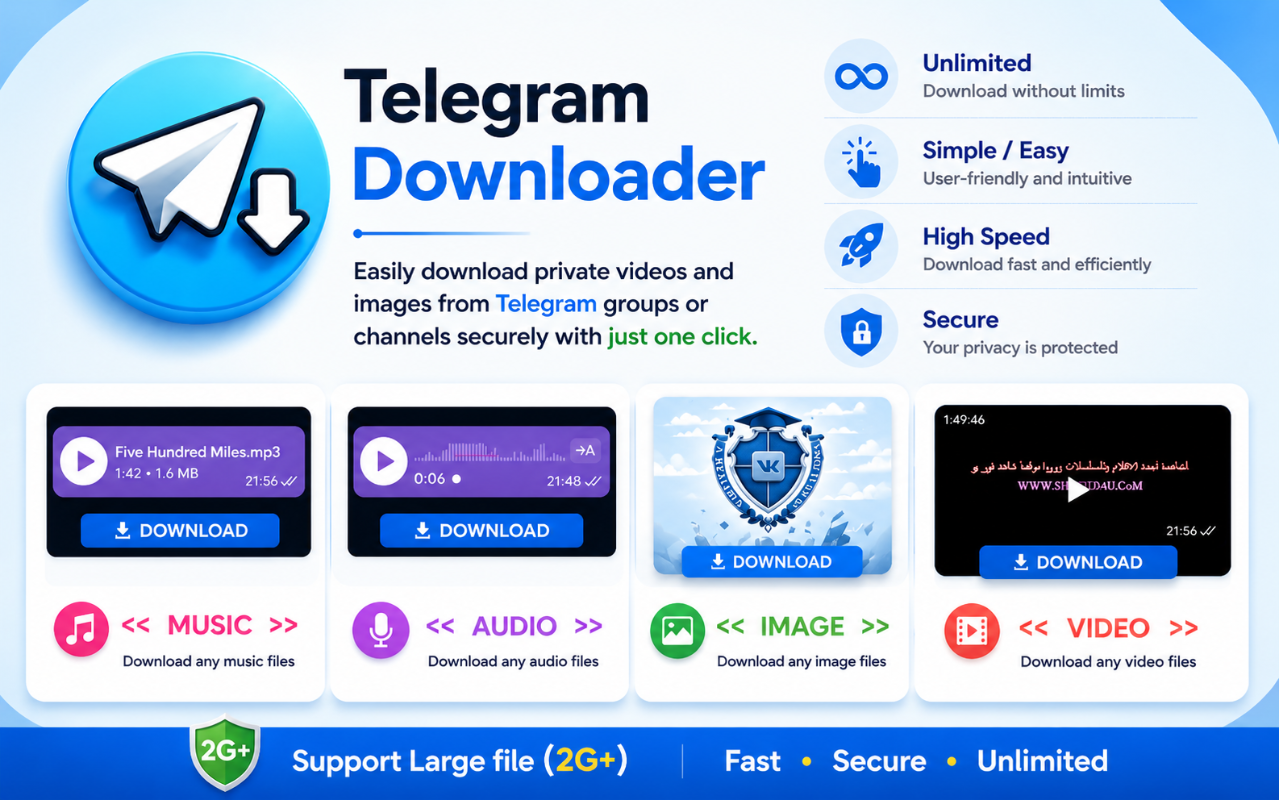
Save media from private Telegram groups and channels when the content is visible in your own logged-in Telegram Web session.
Select multiple videos, images, audio files, GIFs, or shared documents instead of repeating the same download step for every item.
Use the extension where the content already appears, without Telegram API keys, bot tokens, or command-line setup.
Keep course lessons, research clips, creator resources, work files, and personal memories available when the original message changes.
Private groups
Telegram is often used for courses, paid communities, creator channels, private teams, research groups, and family chats. The page keeps that search intent visible while making the permission boundary clear.
Install Chrome Extension
The workflow is built for common Telegram media types instead of video links only.
Download Public Media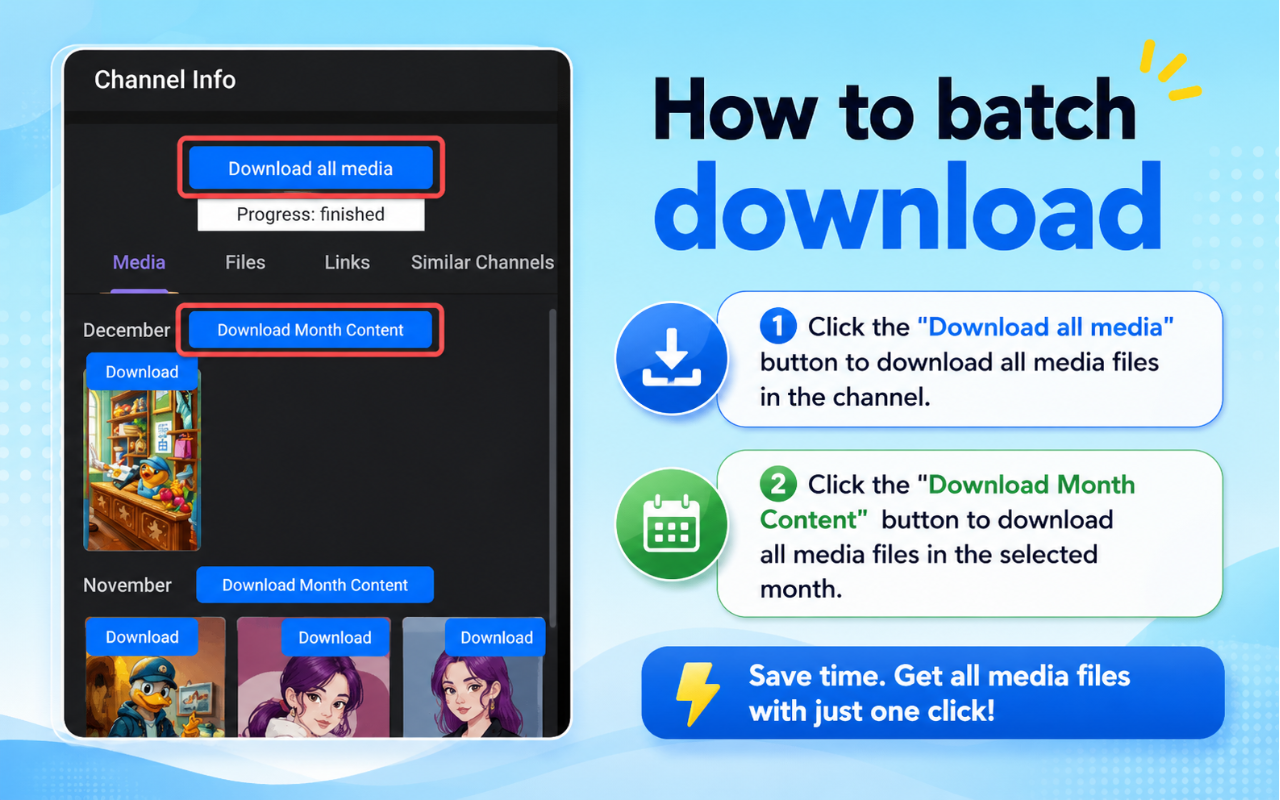
Batch download helps save several visible Telegram videos, photos, audio files, and documents at once.
Install Chrome ExtensionA focused browser extension reduces repeated copy-paste work during Telegram media backup.
Install Chrome ExtensionWhat it handles
The companion site focuses on practical jobs: saving private group materials, downloading visible channel media, keeping study videos offline, and moving repeated downloads into a predictable browser workflow. This page follows the same intent while keeping the official Chrome listing as the primary CTA.
Save media from private Telegram groups and channels when the content is visible in your own logged-in Telegram Web session.
Select multiple videos, images, audio files, GIFs, or shared documents instead of repeating the same download step for every item.
Use the extension where the content already appears, without Telegram API keys, bot tokens, or command-line setup.
Keep course lessons, research clips, creator resources, work files, and personal memories available when the original message changes.
Designed for common Telegram media files, including bigger videos and shared documents that are awkward to collect manually.
Open Telegram Web, review detected media, choose the files you need, and save them locally in fewer steps.
Private group support means using content your account can access. It does not bypass logins, platform protections, or copyright limits.
For public or shareable Telegram links, the online downloader gives visitors a second path without making the extension the only option.
Different downloader paths solve different jobs. Use the extension when Telegram Web login context matters, the online tool for public links, and bots only when a chat-based workflow is acceptable.
Chrome Web Store reviews
The review section now uses a fuller public-review snapshot instead of only two cards. Rating, user count, and review excerpts are based on the Chrome Web Store listing and public review data checked on July 20, 2026.
Jul 16, 2026
This user liked that the extension felt light, simple to install, and made Telegram Web video downloads more convenient for everyday work.
Chrome Web Store reviewsJul 16, 2026
A long-time user highlighted quick downloads and stable playback after saving videos from Telegram Web.
Chrome Web Store reviewsJul 16, 2026
This reviewer was pleased that the extension works as expected without getting in the way while browsing.
Chrome Web Store reviewsJul 16, 2026
The review points to a simple single-click workflow that works smoothly with Telegram Web videos.
Chrome Web Store reviewsJul 16, 2026
This user praised the clean design and hassle-free experience, saying the extension worked consistently.
Chrome Web Store reviewsJul 16, 2026
The user said the extension integrates neatly with Telegram Web and makes the download process straightforward.
Chrome Web Store reviewsJul 16, 2026
This review highlights quick setup and effortless saving from Telegram Web after installation.
Chrome Web Store reviewsJul 16, 2026
The reviewer liked that download links are detected quickly and videos can be saved with a simple flow.
Chrome Web Store reviewsJul 15, 2026
This user described the extension as easy to install and comfortable for everyday Telegram Web downloads.
Chrome Web Store reviewsThe online tool handles public Telegram video posts without a login. Only save media you have permission to keep.
In Telegram, open the public channel post, choose Copy Link, and make sure the address includes both the channel name and message number.
Paste the public link into the downloader above. No Telegram password, verification code, session, or bot is required.
The tool checks Telegram public data and shows the channel, preview, duration, and available video when the post can be accessed.
Download the MP4 in original available quality. For private, restricted, or batch media, continue with the Chrome extension in Telegram Web.
FAQ
A Telegram downloader should help you save content you can access and are allowed to keep. Private group support does not mean bypassing login, access control, copyright, or Telegram platform protections.
A Telegram video downloader finds the video attached to a Telegram post and lets you save it locally. This online tool supports public post links; the companion extension handles media visible inside your own Telegram Web session.
Yes, when the media is visible in your own Telegram Web session and you have permission to keep it. The extension does not bypass Telegram login, access restrictions, copyright rules, or platform protections.
Use the online downloader for a quick public-link video save. The Chrome extension is better for frequent Telegram Web use, private groups, restricted channels, multiple media types, and batch downloads.
A Telegram video link may fail if the media is private, deleted, expired, restricted, not fully loaded in Telegram Web, or unavailable through a public URL. Open it in your own Telegram Web session first.
It depends on the content, your rights, and local law. Download only media you are allowed to keep, and do not redistribute private or copyrighted material without permission.
The extension is the better fit for frequent desktop downloads, private groups, channels, and batch workflows. The online downloader is useful when you only have a public or shareable link and want a lightweight web flow.

Install the Chrome extension for repeated Telegram Web downloads, or open the online downloader for public-link saves. Use both paths only for media you have permission to keep.